
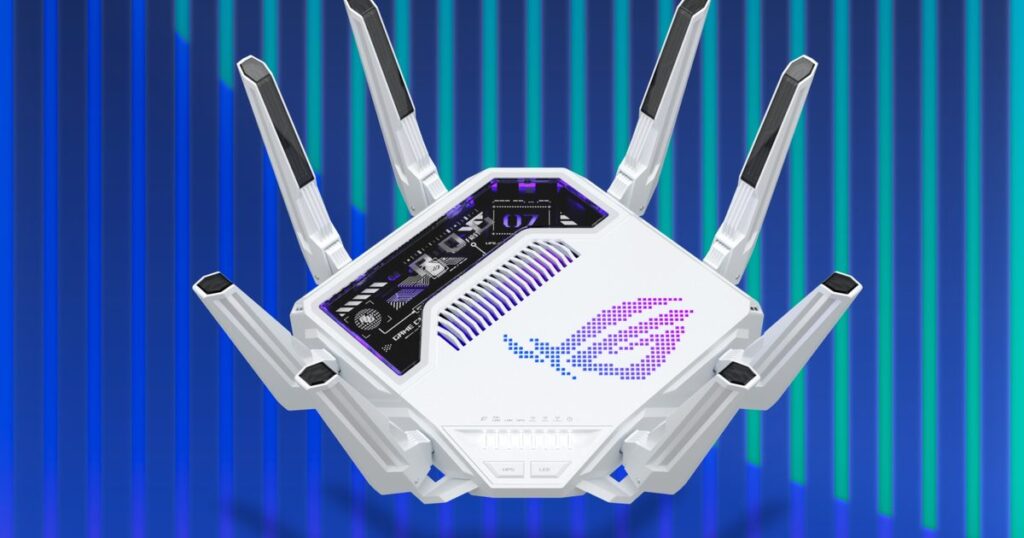
“Whoa.”
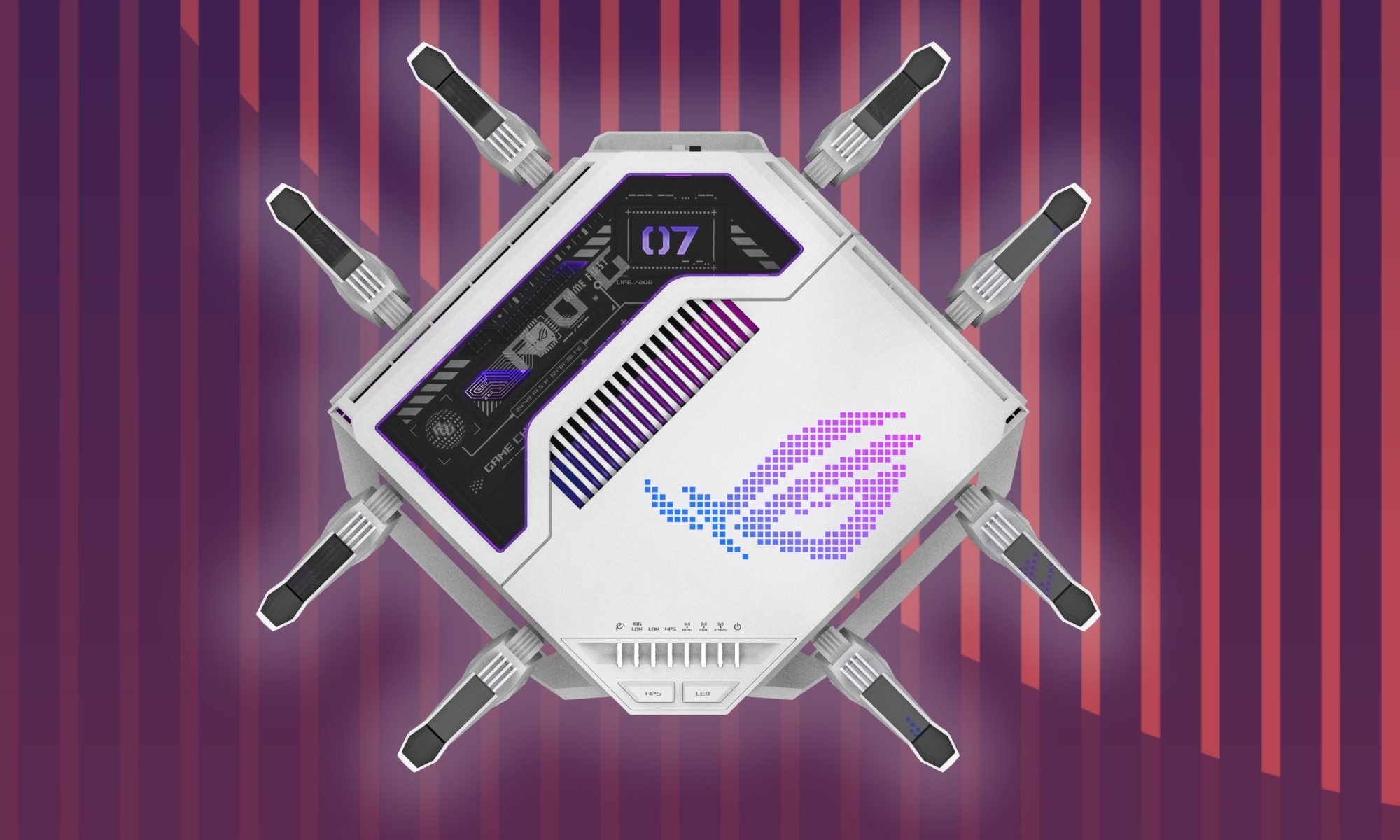
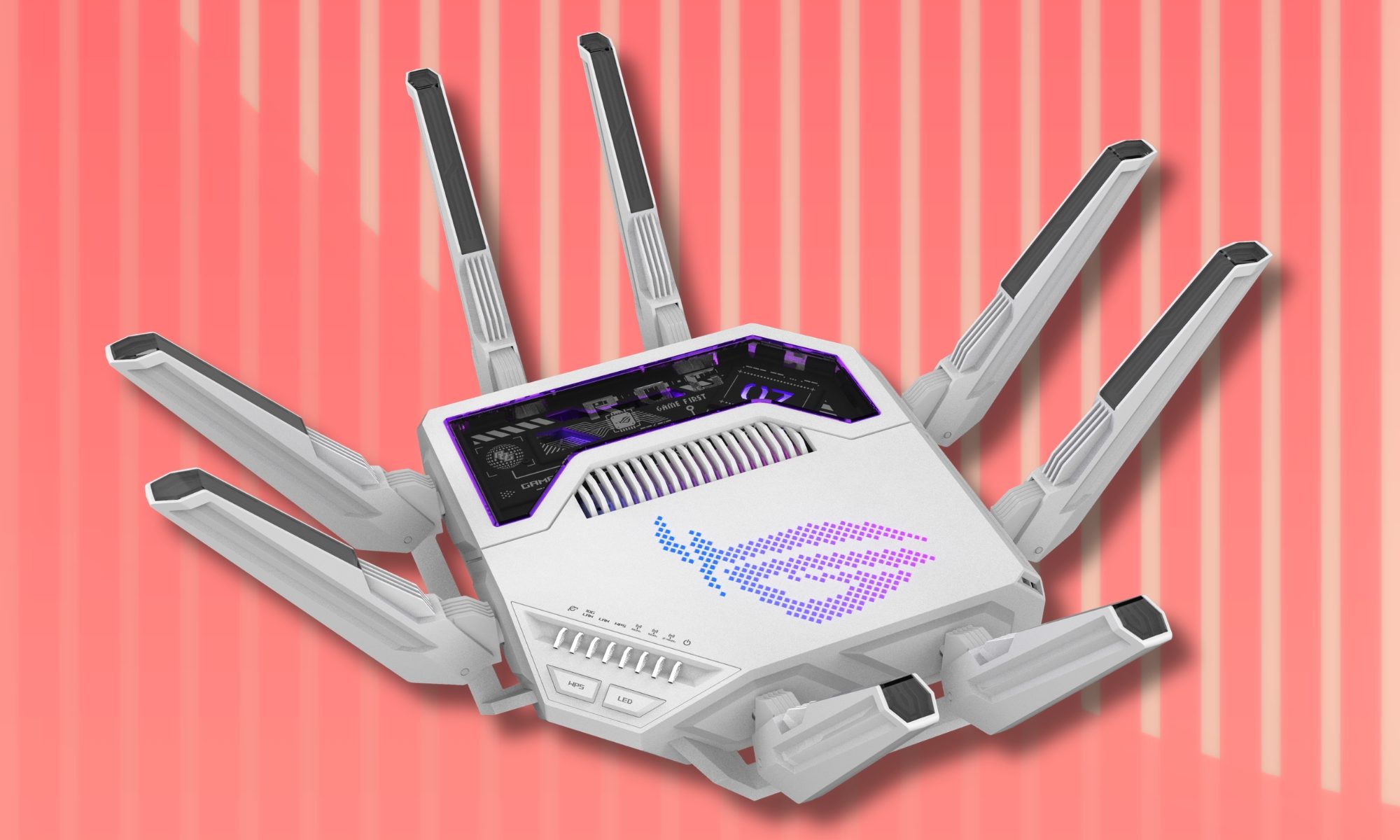
That was my first reaction when I witnessed Asus’ Republic of Gamers division announce the ROG Rapture GT-BE19000AI Wi-Fi router. It looked unlike anything I’ve ever seen before, especially for a router. I’ve attracted plenty of eyeballs in my work cafe while working on the RGB show that is the massive ROG Strix Scar 18 gaming laptop, but passing over that aesthetic formula on a networking gear feels like an over-the-top engineering muscle-flexing.
Plus, an asking price of $900 made it even more of an enigma for me. This won’t be the first alien spaceship-esque router Asus ROG has offered. But the Rapture GT-BE19000AI takes things to a whole other level. Before I could dig into the review, I sat down with Juan J. Guerrero, Partnerships Manager at Asus (NA), to understand what the outlandish router is all about, and whether it can go beyond its official designation as “the world’s first AI gaming router.”
A router with a dual-chip, quad-core architecture. But why?
Now, why would a router land with a 2.6GHz quad-core router chip, 4 gigs of RAM, 32GB of onboard storage, and a dedicated AI chip (a quad-core unit), as well? Guerrero tells me that it has a lot to do with not just the raw performance, but a whole bunch of other conveniences available on the router. Aside from the higher throughput, you also get faster USB performance, improved 10G connectivity, and more.
That broadly ties into the dual-chip design, as well. “Multitasking is a myth. The more that you multitask, generally the worse your performance is because you can really only kind of focus on one thing, right?” the Asus executive tells me. Highlighting the problem of overhead penalty, he notes that handling networking traffic, background services, security management, data transfers, and interference monitoring are just some of the key chores that are collectively a burden for a single-chip slow-core build, and they take a toll on the network performance.
Asus / Digital Trends
A notable example is WiFi Insight, a system that relies on the dedicated AI chip. It essentially looks for all the RF signals around you, such as microwaves, and logs them accordingly. Based on the level of interference, it will automatically switch the network band and ensure peak performance.
“Normally, this is not something that the user would ever have data for. They wouldn’t know what was affecting their network or what wasn’t affecting their network. They didn’t necessarily have any knowledge of this. They would just kind of know something happens, but they wouldn’t have information about it,” Guerrero tells me.
The AI core ties into another hot trend — local processing. Asus calls it Private Edge AI. Think of it as a customer support AI bot that has been trained to answer your operational and troubleshooting-related queries. However, none of your conversations ever leave the device or land on an external cloud server. Plus, it’s also faster compared to your average internet-linked back-and-forth approach.
Asus developed its own local LLM and trained it on a corpus of internal documentation to find reliably accurate information, instead of serving a risky solution scraped from the internet. AI bots such as ChatGPT and Gemini continue to hallucinate and often mix up information. So, it comes as a huge assurance that Asus’ AI will privately handle all your questions and will only provide answers based on the company’s own training material.
AFC, the secret performance booster
Curiously, Asus’ official product makes only a cursory mention of AFC (Automated Frequency Coordination), but it’s a crucial incentive. “The easiest way to understand AFC is that it’s a new kind of protocol or standard that’s been supported by the FCC,” Guerrero explains. There are network bands that are used for specialized purposes by the government, but mostly, they lie unused.
Asus / Digital Trends
Once you enable AFC, the router scans the vicinity, and if there are bands available, it uses them to boost the 6GHz network performance. Pulling up internal tests that involved an iPhone 16 Pro connected to a router, Guerrero notes that “it was approximately probably about 425-450 megabits at baseline. And then once AFC was engaged, it was almost about 900 megabits.”
That’s a huge uplift. Of course, it would also depend on where you are sitting and how many material obstructions are between the router and the connected device. But the raw gain is insane and was logged even as far as 40-60 feet range. Interestingly, Asus is the only manufacturer out there with a networking gear that supports AFC.
It’s a connectivity hub
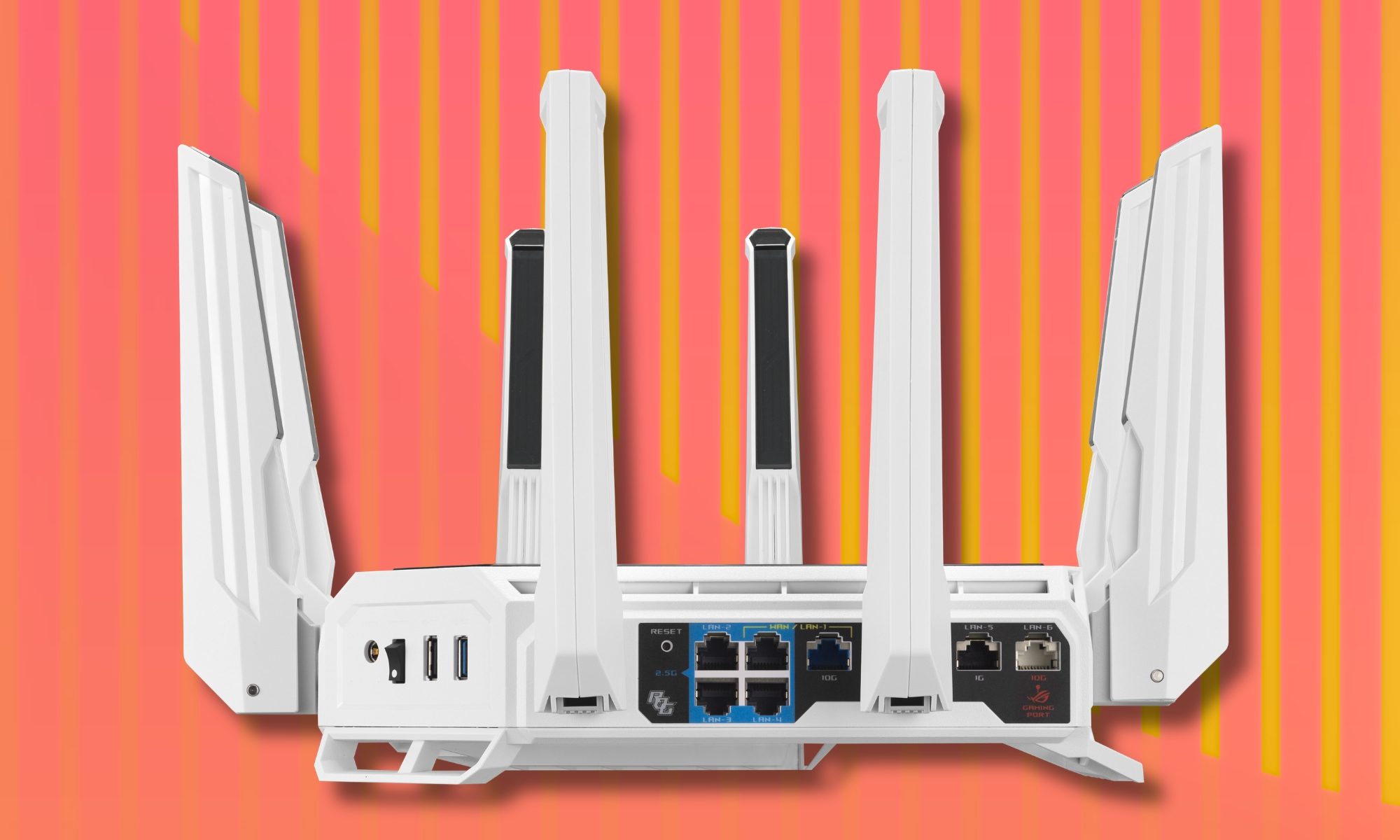
The spider-like design of the Rapture GT-BE19000AI screams ROG, but if you look at the back, you will be surprised at the port selection. It offers dual 10G ports, four 2.5G LAN outlets, and plenty of USB inlets, too. And all of these are high-speed ports. Offering maximum versatility is a core focus, of course, but there’s interesting brewing here, as well.
That special trick is USB WAN, and it’s something I am most excited about. Simply put, it allows you to connect a phone directly with a router, and the cellular network as a hotspot. Usually, it is locked behind a subscription wall or requires its own mesh gear, but on the Asus ROG Rapture GT-BE19000AI, it’s built in and free to access forever.
“You can take your iPhone or your Android phone. It doesn’t matter. Any phone, it doesn’t matter. There’s no app, there’s no software to configure. You just connect the USB cable to the USB port on the router, and when you turn that on, we can then take your 4G or your 5G cellular signal and use that as your ISP service — turning the device into a mega hotspot that covers the entire house,” Guerrero tells me.
I live in a hilly area where power cuts are frequent, and they last long enough that the backup power for the router also gets depleted, and the ISPs also hang their boots. But with a solution like USB WAN, all I need is my phone and a power bank to keep going. Plus, the plug-and-play approach is just the cherry on top.
What about the gaming perks?
The ROG Rapture GT-BE19000AI serves what Asus calls triple-layer AI game acceleration. The whole stack detects and optimizes connectivity on a per-device basis, reduces latency by up to 34%, and performs real-time checks to avoid congested network lanes. A crucial step here is device prioritization.
Asus / Digital Trends
“For this generation, because we have this new dual-core processor, we have this AI-assisted processor engine that can look more intelligently at the data. We can also now perform this on Wi-Fi dynamically, so we can actually look at the devices that are connecting and intelligently also enable gaming prioritization,” Guerrero tells me.
Compared to low-stakes scenarios where a buffer cache is built — such as watching videos online — gaming requires live, real-time scenarios that require more bandwidth. To that end, the Asus route performs intelligent — and automatic — prioritization to put your gaming devices at the top of the network priority list for best performance and lower latency.
Going a step further, Asus also serves AI-powered ad blocking, one-click router security assessment, custom browsing safety filters, parental control suite, and a built-in secure VPN, too. The messaging is pretty clear. Asus has certainly designed the ROG Rapture GT-BE19000AI with a gaming audience in mind, but it’s a holistic package that should serve well small-scale business and enterprise usage, too.
“As opposed to the classic mentality of Jack of all trades, but master of none. We actually do really want it to be a Jack of all trades, but the master of all,” Guerrero surmises. Overall, Asus has created a fairly compelling and unabashedly premium networking gear while infusing it with the RPG DNA. I’ll dig more into its performance outing and exclusive perks in my full review, due soon!