
Hello Space Enthusiasts!
Recently, I splurged and treated myself to a new camera. The ZWO ASI2600MM Pro! After many many hickups, I finally got an image I am extremely proud of.
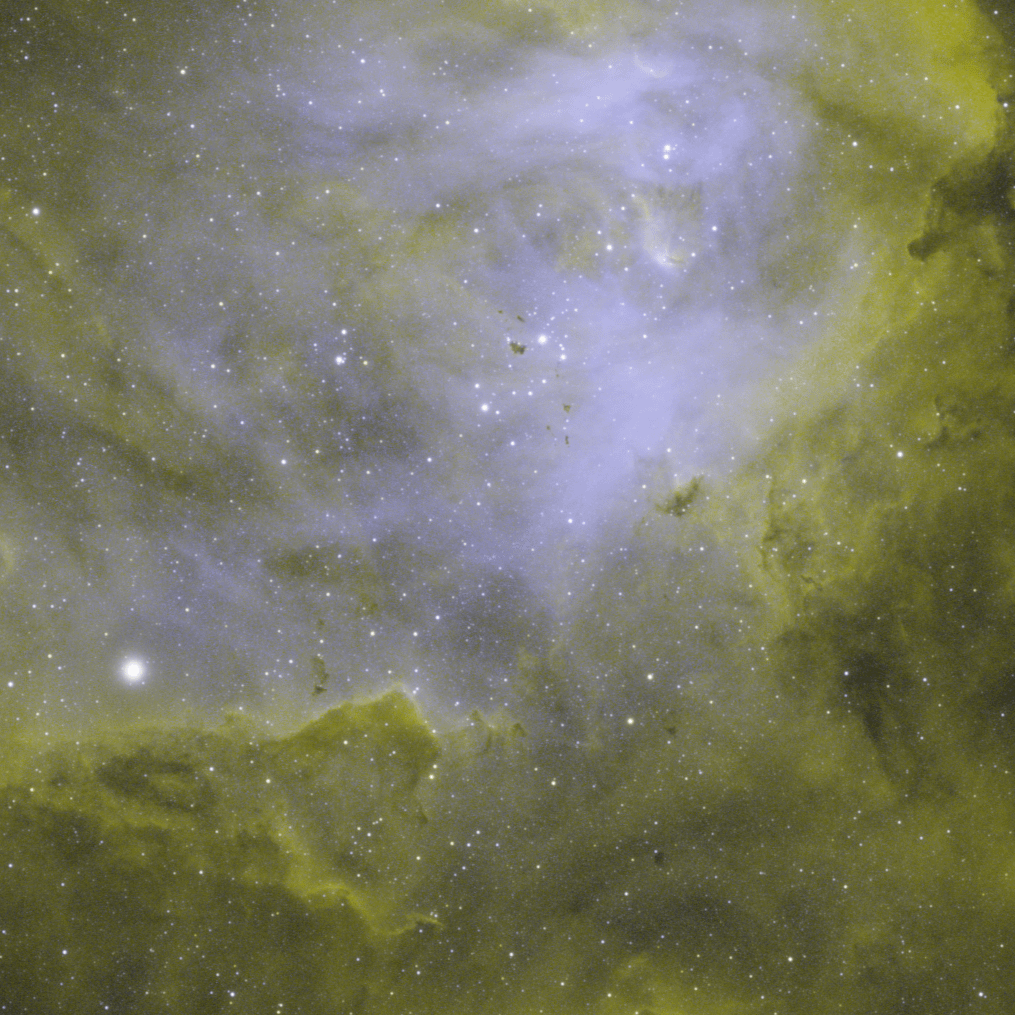
This is a very cropped image of the Running Chicken Nebula, found near the Carina Nebula. I cropped it heavily since the whole image was actually quite noisy. This is because, I only got a total of 4 hours of data, with only 2 hours of Oiii. At the time, the moon was at 88% full and waning. Meaning that the Oiii signal is a lot fainter. This is because it sits at the "bluer" end of the spectrum, which artificial lights, and the moon, emit more of. Compared to Hydrogen alpha, which is a red colour and thus light pollution affects it less. This resulted in a grainy Oiii image but clean Ha image.
Fact: Monochrome cameras do not discriminate. That is, if I put my camera straight up to a lens/telescope, it will collect all visible wavelengths (+ some UV/IR) and it won't have any color data. So, to combat this we can use different filters to isolate different colors. You can use RGB filters, or narrowband filters.
Narrowband filters (what I used) only capture a very specific band of frequencies, generally, they capture frequencies that are emitted by certain ionised gasses. In this instance, since the Running Chicken Nebula has both strong Ha and Oiii signals, I used two filters which isolates these bands of light.
Now, we can capture these specific wavelengths. However, since the camera is monochrome, each image is just an array of pixels with a certain brightness. Thus, we can assign colors of our own. In this case, I kept it simple. I mapped hydrogen alpha to red and green pixels. And I mapped Oiii to blue pixels. Which gives it a kind of Hubble palette look.
I hope you enjoy this image as much as I have enjoyed imaging it.
by Quick-Psychology-503