
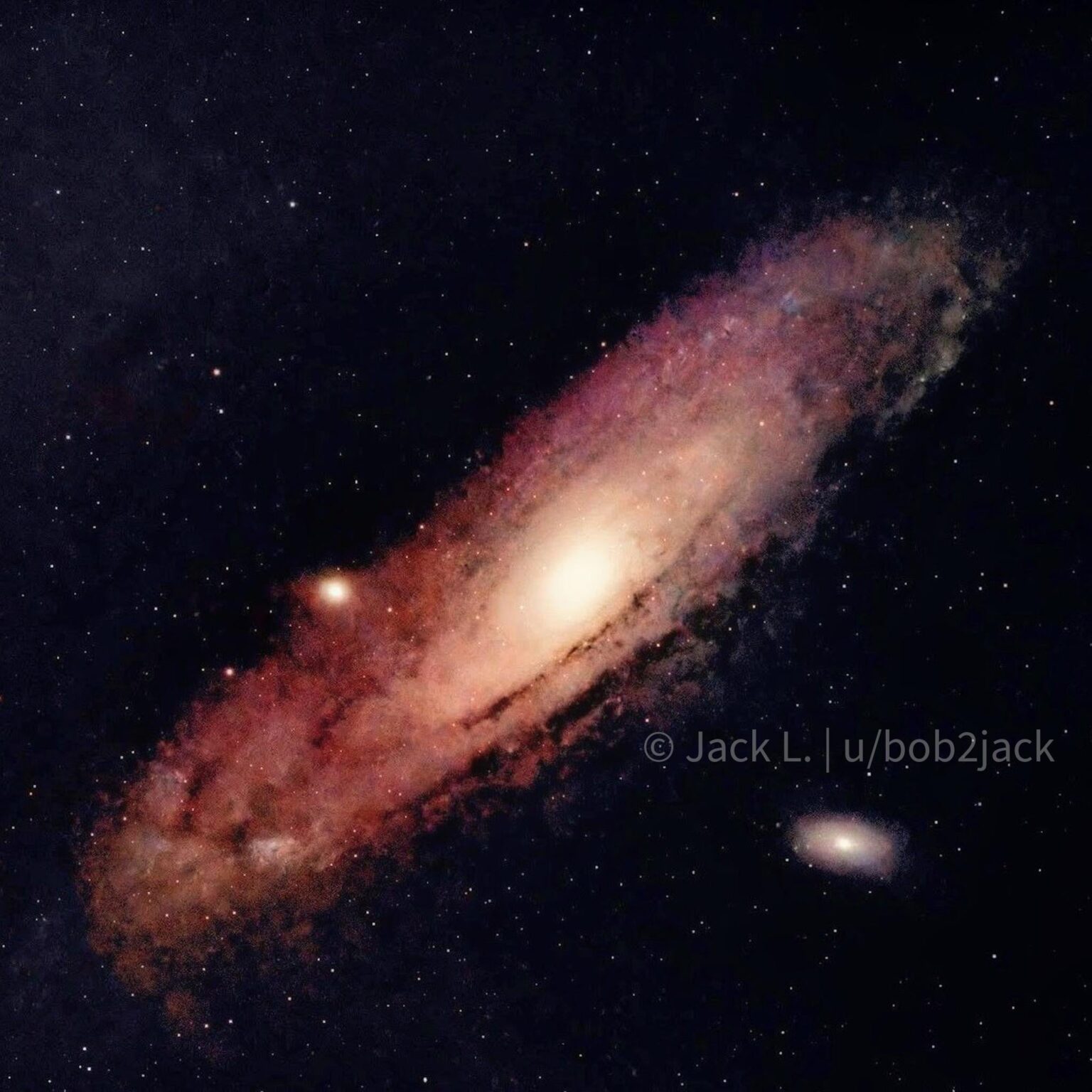
Equipment:
Camera: Canon Rebel T7 (Unmodified)
Lens: Canon 75-300mm (Shot at 200mm)
Mount: Sky-Watcher EQ-AL55i Pro
Control: NINA & Green Swamp Server
Acquisition:
Location: Bortle 8-9 (Apartment building roof)
Total Integration: ~1 hour 52 minutes
Lights (Galaxy Arms): 143 x 45s
Lights (Core): 30 x 10s (For HDR blending)
Calibration: Darks, Flats, Bias
Processing (PixInsight):
Stacking: WBPP with 2x Drizzle (Scale 2, Drop Shrink 0.9)
Blending: HDRComposition (to resolve the bright core)
Gradient Removal: GraXpert
AI Tools: BlurXTerminator, StarXTerminator, NoiseXTerminator (AI3 with Color Separation)
Stretching: MultiscaleAdaptiveStretch (MARS), CurvesTransformation, HistogramTransformation for galaxy, ArcsinhStretch for stars
Final Polish: Mobile editing for contrast/color grading
I’m still very new to this and was honestly a bit intimidated by PixInsight at first. I decided to just grab the trial and see what happened, and even with me mostly just brainlessly clicking buttons that sounded right, I’m getting outputs that I prefer way more than what I was getting in Siril or Photoshop.
Since I'm shooting from a Bortle 8-9 zone on top of an apartment roof, noise is my biggest enemy. I had a lot of trouble handling heavy noise reduction without losing the faint color data; at one point, the starless background turned into a weird rainbow water paint looking mess when I tried to push the vibrance.
If you look at the right side of the dust lanes, you can also see where my masking strategy struggled to separate the actual dust from the thermal noise floor. I'm definitely still looking for a better workflow to maintain that color vibrance in the outer arms without triggering those watercolor artifacts in the background.
by bob2jack